Tools
The repository ships a collection of sample applications and tools that showcase the library in action:
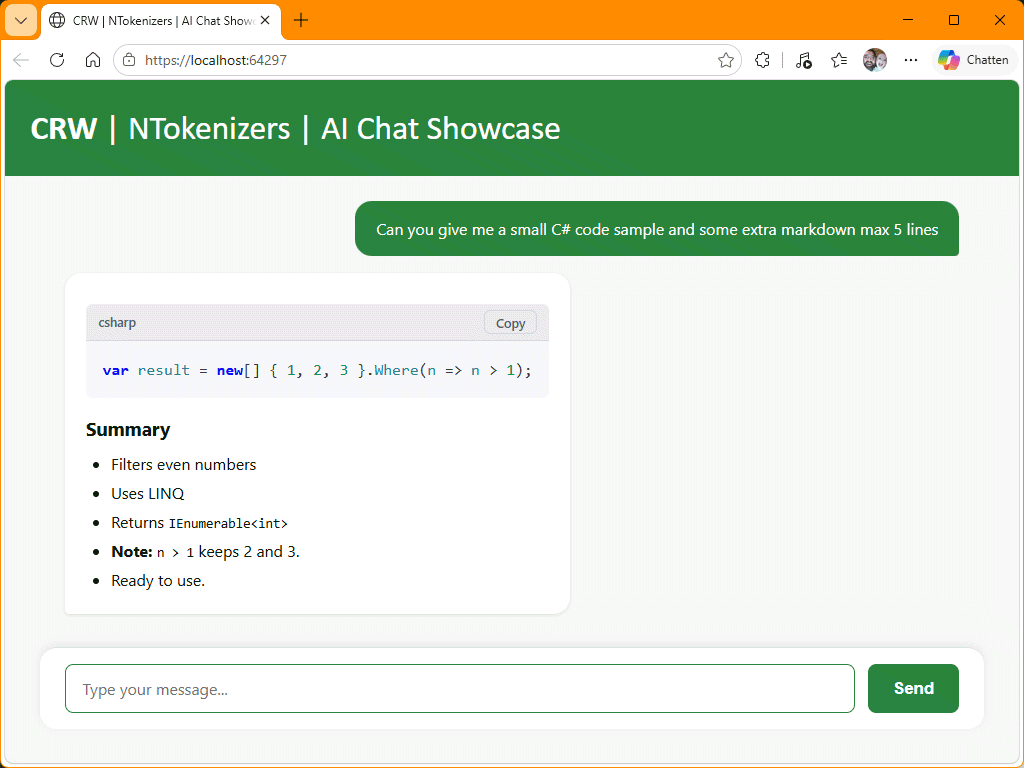
- NTokenizers.ShowCase.ToHtml.AiChat — Streaming AI chat showcase (web)
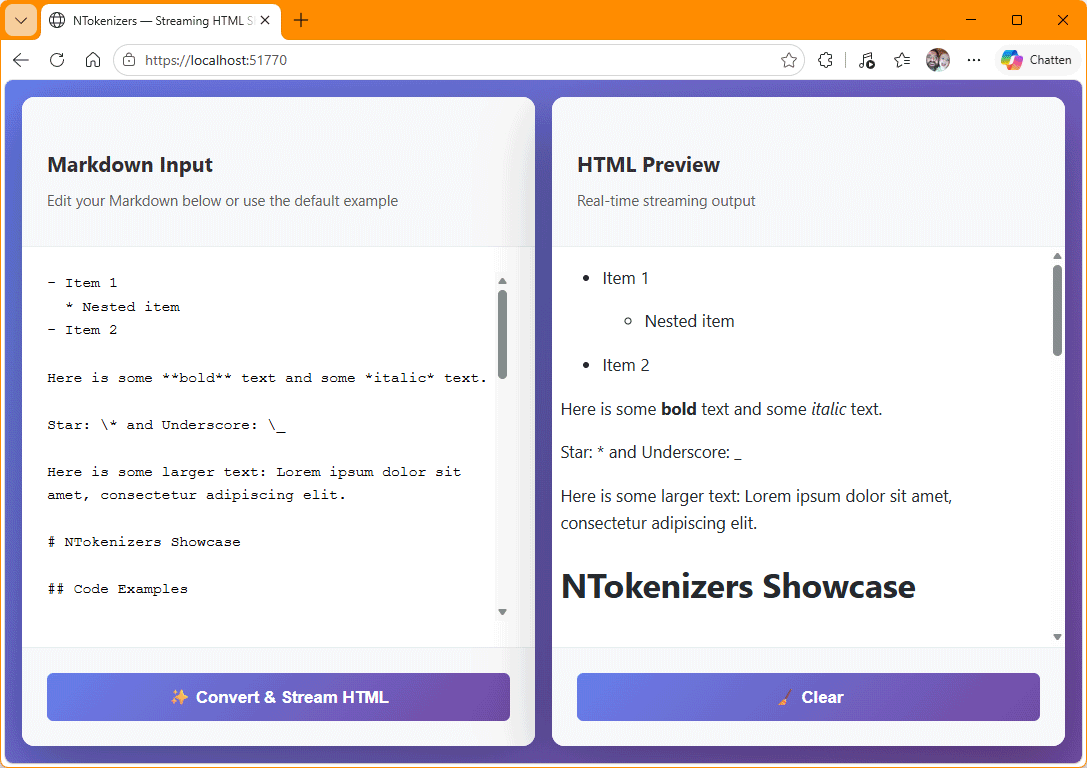
- NTokenizers.ShowCase.ToHtml.Web — Streaming Markdown to HTML showcase (web)
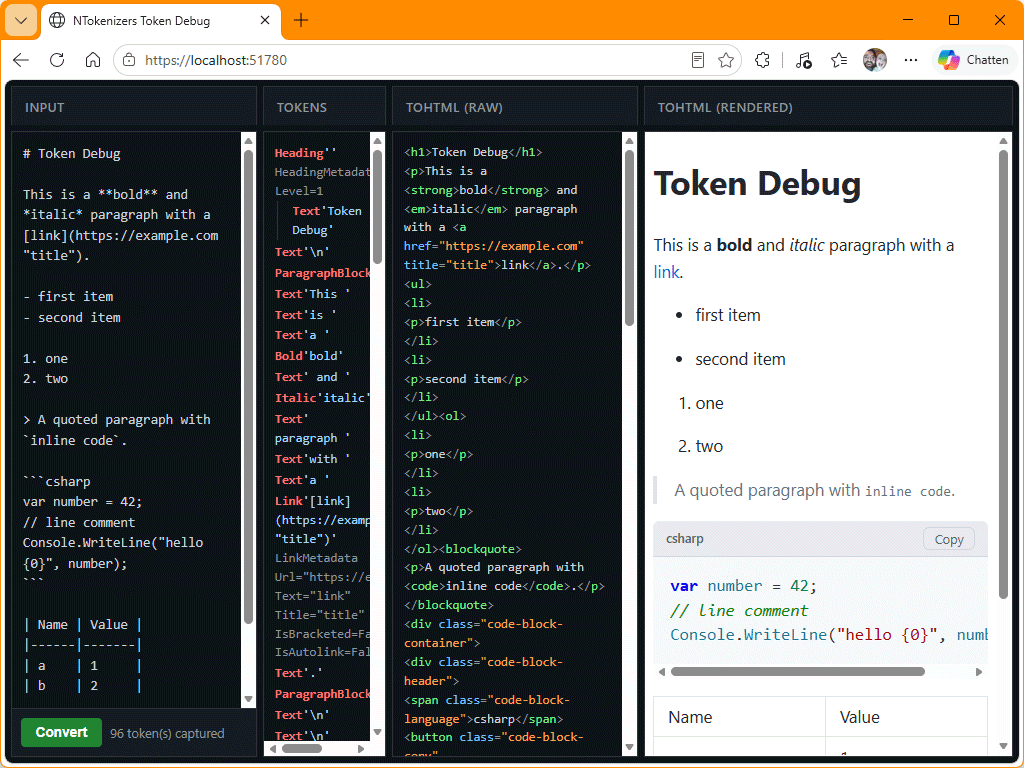
- NTokenizers.Token.Debug.Web — Web app with four side-by-side columns — Input, Tokens, ToHtml raw and ToHtml rendered — that shows the token stream of a Markdown document in real time.
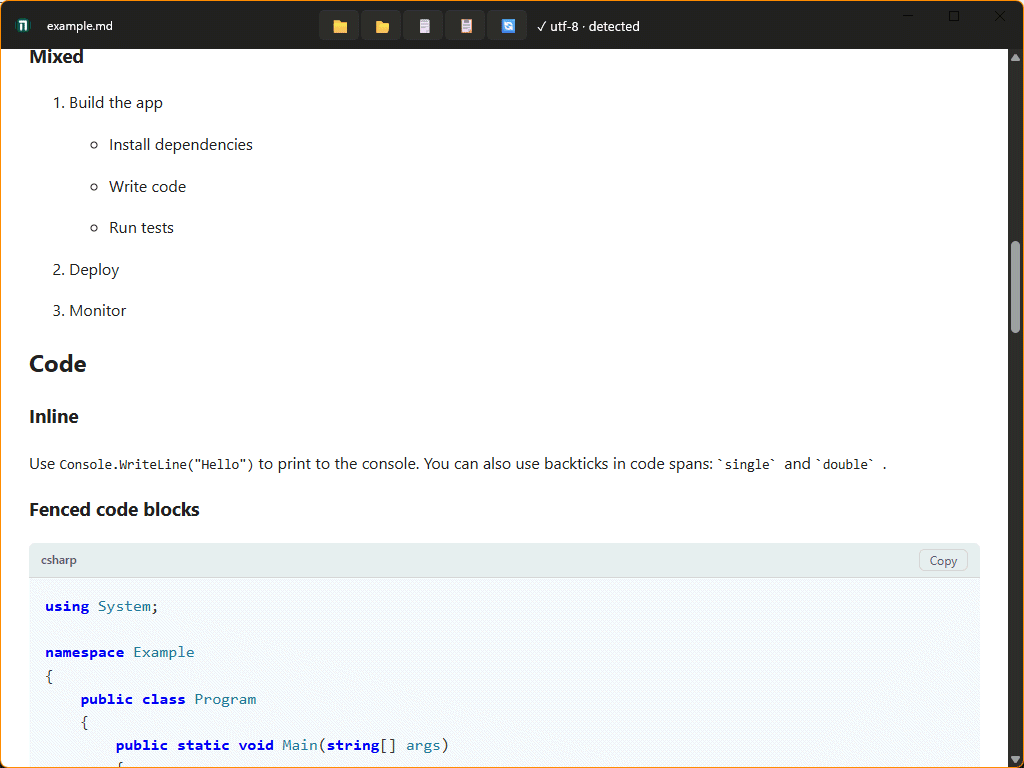
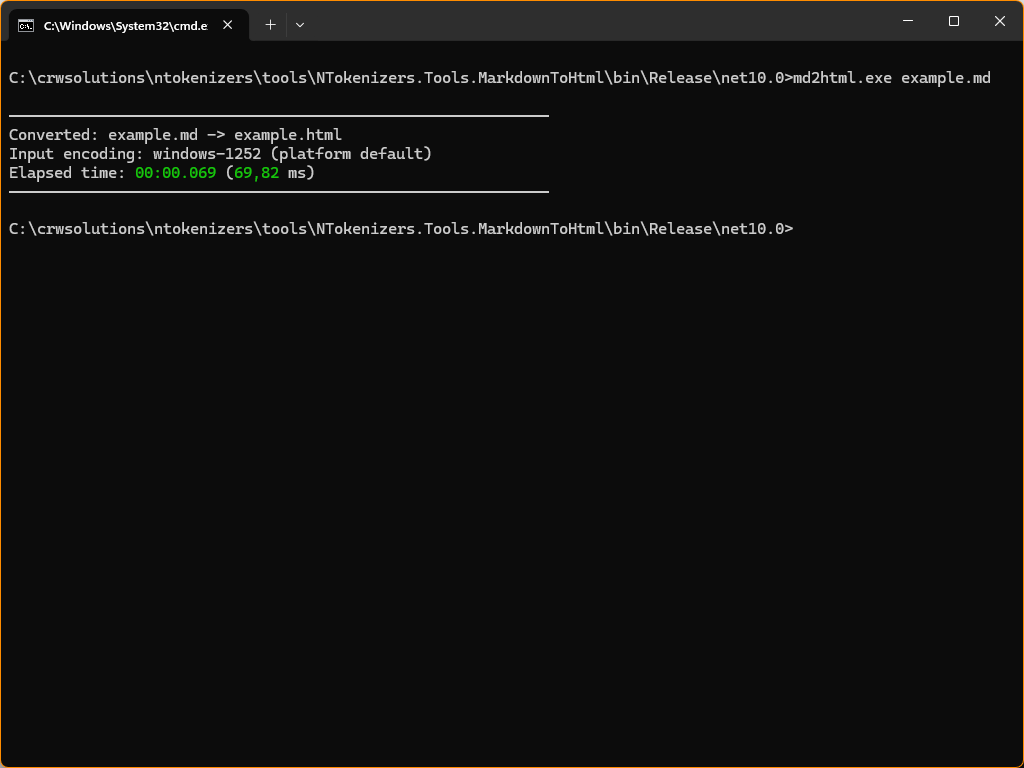
- NTokenizers.Tools.MarkdownToHtml — CLI tool that reads a Markdown file as a stream and writes a styled HTML file, with encoding detection and timing output.
- NTokenizers.Tools.MarkdownViewer — Windows WinUI 3 desktop app for reading
.mdfiles with ToHtml rendering.
NTokenizers.ShowCase.ToHtml.AiChat
A web app that shows the ToHtml API in a live AI chat: the response of an AI model is streamed through MarkdownConverter.WriteHtmlAsync and rendered in the browser as the tokens arrive — no buffering of the full response.
The app talks to any OpenAI-compatible endpoint through Microsoft.Extensions.AI. Out of the box it points at a local llama.cpp server:
http://localhost:8080/unsloth/Qwen3-Coder-30B-A3B-Instruct-GGUF:Q6_K
dotnet run --project tests/NTokenizers.ShowCase.ToHtml.AiChat
NTokenizers.ShowCase.ToHtml.Web
A streaming Markdown showcase: edit Markdown in one pane and press Convert — the HTML fragment is streamed back and rendered live in the other pane, showing the ToHtml API in action.
dotnet run --project tests/NTokenizers.ShowCase.ToHtml.Web
NTokenizers.Token.Debug.Web
A web app with four side-by-side columns — Input, Tokens, ToHtml raw and ToHtml rendered — that shows the token stream of a Markdown document in real time.
dotnet run --project tests/NTokenizers.Token.Debug.Web
NTokenizers.Tools.MarkdownToHtml
A CLI tool that reads a Markdown file as a stream and writes a styled HTML file, with encoding detection and timing output.
dotnet run --project tools/NTokenizers.Tools.MarkdownToHtml -- input.md output.html
NTokenizers.Tools.MarkdownViewer
A Windows WinUI 3 desktop app for reading .md files with ToHtml rendering.
dotnet run --project tools/NTokenizers.Tools.MarkdownViewer